Connect Stripe for payments
Connect Stripe to issue a quote's deposit and balance as Stripe invoices, payable online from the quote page, with automatic payment tracking.
Aktualisiert am
A wedding is signed and the deposit must come in before the date is locked. Sending bank details, waiting for the transfer, matching it by hand: each step delays the confirmation.
With Stripe connected, the deposit or balance invoice is created in Stripe from the quote. The client pays it online from their quote page, and Joinways marks the invoice paid as soon as Stripe confirms. Joinways never sees or keeps any card data.
What you'll learn
- Connect your Stripe account to Joinways.
- Check that the account can collect payments.
- Issue the deposit, the balance or the full amount on Stripe.
- Know what the client sees and how they pay.
- Track and correct invoices.
Prerequisites
- The workspace "Owner" or "Admin" role.
- The details Stripe asks for at signup: business, legal representative, payout bank account.
- To invoice: an "Accepted" or "Signed" quote, and the venue's billing profile complete (see Billing settings).
1. Connect Stripe
- Open "Settings" > "Integrations", "Invoicing" tab.
- On the "Stripe Connect" card, click "Connect".
- Stripe opens its signup. Fill in your business and bank account, then submit.
- Back in Joinways, the "Stripe connected" message appears and the card shows "Active".
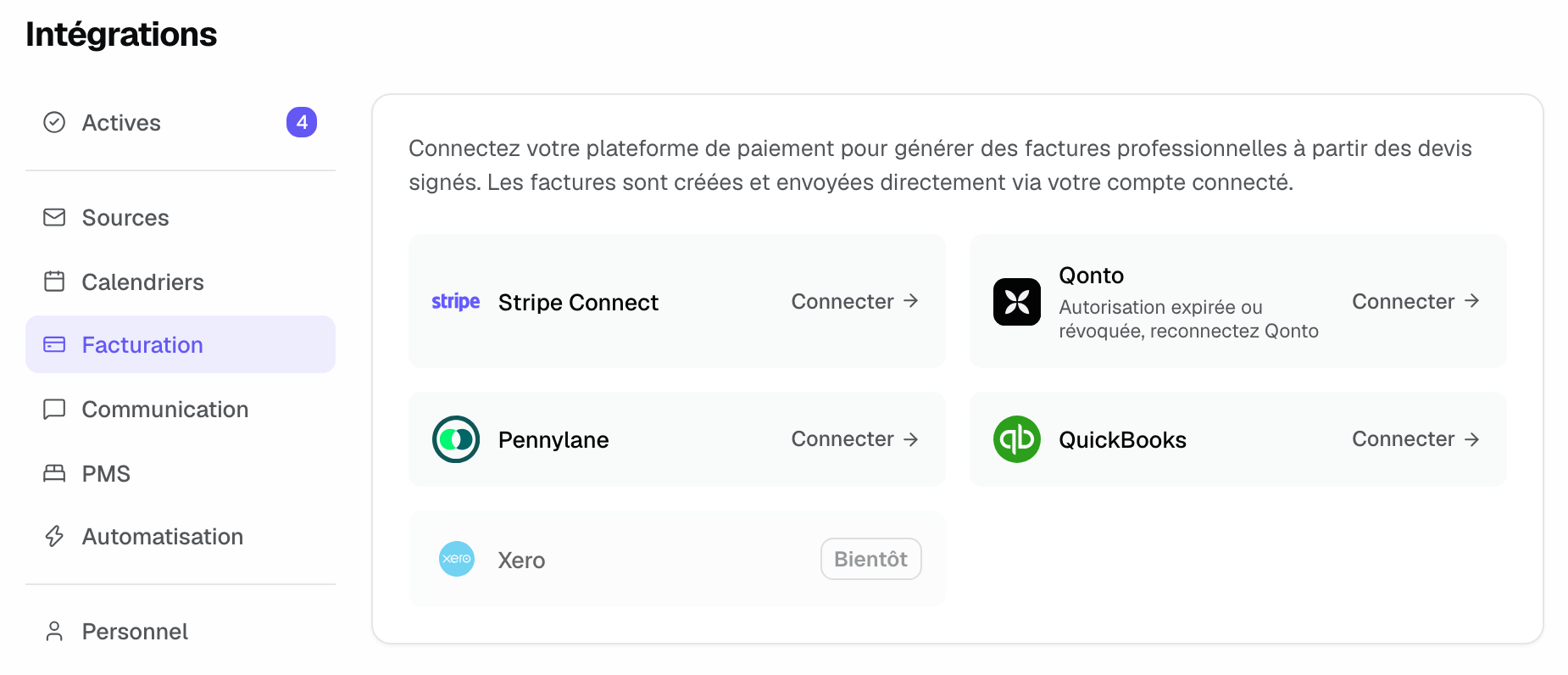
The connection creates a standard Stripe account in your name. You manage it in your own Stripe Dashboard: payouts, refunds, accepted payment methods.
2. Check that the account can collect
Click the card's gear to open "Stripe Settings":
- "Payments enabled": your account can accept payments.
- "Setup required": Stripe still needs information. Complete it from "Open Stripe Dashboard".
- The "Live" or "Test" badge shows the account mode, and "Connected on" the connection date.
- "Disconnect" removes the link. Invoices already issued stay in Stripe.
3. Issue a Stripe invoice from the quote
- At the top of an accepted or signed quote, click "Invoice". If the venue asks for a deposit, choose "Create deposit" or "Invoice the full amount". Once the deposit is issued, the button becomes "Create balance".
- In the window, check the amount, the due date and the billed client.
- On the "Issued via" line, check that the channel is Stripe. If not, click "Change" and pick Stripe.
- Click "Generate only", or "Generate & send" to open the prefilled email with the invoice link.
Joinways creates and finalizes the invoice in Stripe, without Stripe sending an email itself: you send it, from your own mailbox. The balance always goes on the same channel as the deposit, which the window shows as "Issued on Stripe, like the deposit". Deposit and due date settings are detailed in Invoice a signed quote.
4. What the client sees
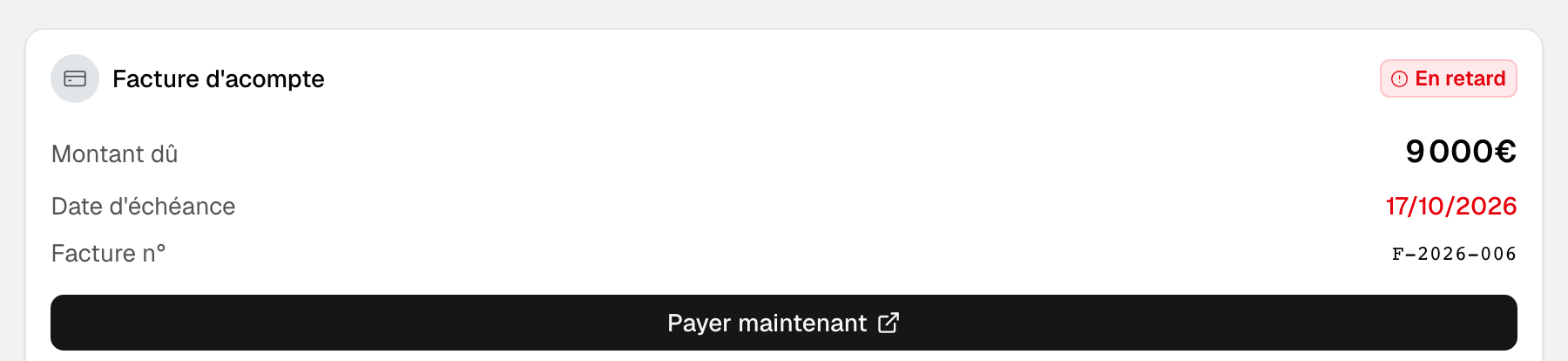
The client pays from the public page of their quote, with no Joinways account. Each invoice has its card there: "Deposit invoice", "Balance invoice" or "Invoice", with the "Amount due", the "Due date", the number and the "Pay now" button, which opens Stripe's secure payment page. "Download PDF" gives the invoice.
The fixed bar at the bottom of the page guides the client to the right action. As long as the quote is not signed, it shows the total and "Sign proposal": signing always comes first, even if an invoice is already open.

Once the quote is signed, if a Stripe invoice is open, the bar's main button becomes "Pay the deposit" followed by the amount (or "Pay" for a balance or full invoice), next to the signed PDF. The screen shown after signing offers the same payment button. If there is no invoice yet, it announces the venue's upcoming deposit.
5. Track and correct invoices
When the client pays, Stripe notifies Joinways: the invoice turns "Paid" in the quote's "Invoices" view and on the client's page, with no "Mark as paid" to click. The quote becomes paid when all its invoices are settled.
- "Void invoice" voids an unpaid invoice in Stripe.
- "Create credit note" issues a partial or full credit note on an issued or paid invoice.
Example: a wedding deposit at an estate
An estate asks for a 30% deposit. A wedding quote is signed at €24,000 including tax. The coordinator clicks "Invoice" > "Create deposit", keeps "Issued via" on Stripe and chooses "Generate & send". That evening, the couple opens the quote page, clicks "Pay the deposit · €7,200.00" and pays by card. The next morning, the invoice is "Paid" in Joinways and the date is locked. A month before the wedding, "Create balance" issues the remaining €16,800, still on Stripe.
Troubleshooting
The card shows "Setup required"
Cause: the Stripe signup is not finished. Solution: open "Stripe Settings", click "Open Stripe Dashboard" and complete the requested information.
"Stripe onboarding wasn't completed. Try again."
Cause: you left the Stripe signup before the end. Solution: click "Connect" again: Joinways resumes the signup of the same account.
Stripe does not appear under "Issued via"
Cause: Stripe is not connected, or the venue invoices in its own software, or this quote's deposit was issued on another channel. Solution: check the "Stripe Connect" card and the billing software declared for the venue. The balance always follows the deposit's channel.
The client sees no payment button
Cause: no Stripe invoice is open, or the quote is not signed yet (the bar then offers to sign). Solution: issue the invoice, then check its card on the quote page.
The payment does not show as received
Cause: the client did not finish paying on the Stripe page, or a transfer is pending at Stripe. Solution: check the invoice in your Stripe Dashboard; Joinways marks it paid as soon as Stripe confirms.
Frequently asked questions
Does Joinways store card data?
No. The client pays on Stripe's page; Joinways only receives the invoice status.
Does Stripe send the invoice to the client?
No. Joinways creates the invoice without a Stripe email. "Generate & send" opens a prefilled email from your mailbox, and the client also finds the invoice on their quote page.
Which payment methods can the client use?
Those the Stripe invoice page offers for your account, for example card. You set them in your Stripe Dashboard.
Can I mix Stripe and another channel on one quote?
No. The channel is chosen at the quote's first invoice, and the balance follows the same channel. Another quote can use another channel.
See also
Testen Sie es 30 Tage lang mit Ihren nächsten Anfragen, ohne Kreditkarte.