Connect Joinways to Zapier
Link Joinways to 7,000+ apps: your inquiries, events and proposals trigger your Zaps, and your tools create inquiries in Joinways.
Aggiornato il
A new inquiry should alert the team's Slack channel, every new event should fill a spreadsheet row, and contacts from your Facebook ads should land in Joinways. Zapier connects Joinways to more than 7,000 apps for these chains, with no code.
Joinways triggers are instant: as soon as a change happens, Joinways calls Zapier through a webhook subscription. The other way, your tools create inquiries, events, people or companies in Joinways.
What you'll learn
- Create a Zap from Joinways.
- Know the Joinways triggers and actions.
- Understand the connection and how long it lasts.
- Find the subscriptions created by your Zaps.
Prerequisites
- A workspace on the Pro plan or the free trial: on other plans, authorization is refused.
- The "Owner" or "Admin" role to see the "Automation" tab of integrations.
- A Zapier account.
1. Create a Zap from Joinways
- Open "Settings" > "Integrations", "Automation" tab.
- Click the "Zapier" card: a Zapier window opens inside Joinways, with ready-made templates.
- Pick a template or build your Zap, then connect your Joinways account when Zapier asks.
- In the Joinways window, choose the workspace under "Workspace to connect", review the permissions, then click "Approve and connect".
- Finish and turn on the Zap in Zapier.
You can also start from zapier.com by searching for the Joinways app: the connection works the same way.
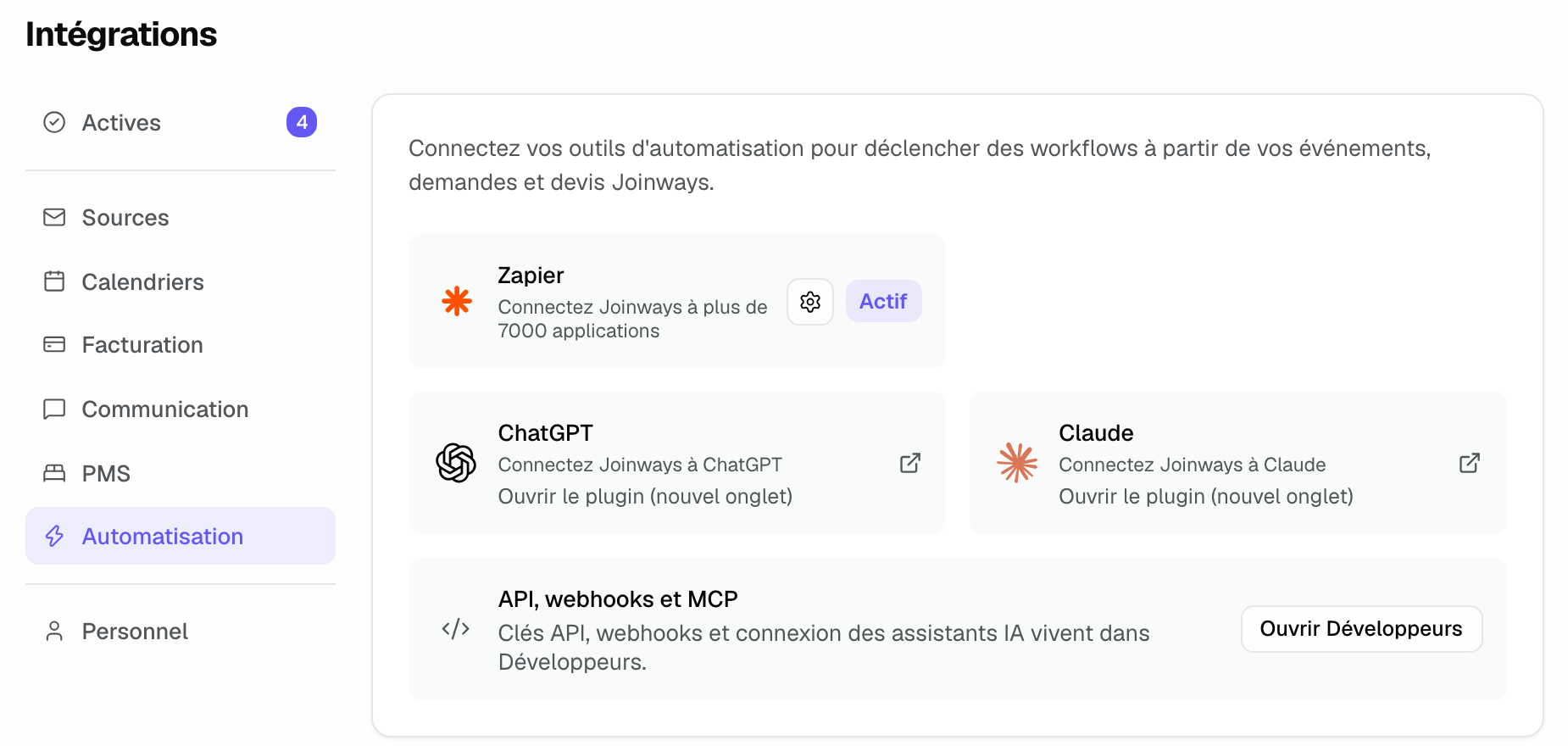
The "Zapier" card shows "Active" as soon as a Zap uses a Joinways trigger. The gear reopens the Zapier window. In the same tab, the "ChatGPT" and "Claude" cards open those assistants' connectors, and "Open Developers" leads to API keys, webhooks and the MCP connection.
2. Triggers
- New Lead: a new inquiry arrives in "Inquiries".
- Event Created: an event is created.
- Event Status Changed: an event changes status.
- Quote Status Changed: a quote changes status, signature included.
3. Actions
- Create Lead: creates an inquiry in "Inquiries".
- Create Event: creates an event.
- Create Contact: creates a person.
- Create Company: creates a company.
- Update Event Status: changes the status of an existing event.
4. The connection and how long it lasts
Zapier acts in the chosen workspace with your role's permissions, through an authorization that needs no key to copy. This authorization lasts 30 days; Zapier then asks you to reconnect your Joinways account.
Each Zap built on a Joinways trigger creates a subscription, shown in "Settings" > "Developers", "Webhooks" tab, with the "Zapier" source. Turning off or deleting the Zap stops the deliveries and removes the subscription.
Example: a rooftop that alerts its team
A Paris rooftop creates two Zaps. "New Lead" to Slack posts each inquiry in the #sales channel, with the date and the headcount. "Facebook Lead Ads" to "Create Lead" brings the contacts from its ads straight into "Inquiries", where the team handles them like the others.
Troubleshooting
Authorization is refused
Cause: the chosen workspace is neither on Pro nor in the trial. Solution: move the workspace to Pro, or choose another workspace.
The Zap no longer triggers
Cause: the Zap was turned off, the Joinways connection expired, or the subscription was disabled after repeated failures. Solution: check the Zap in Zapier, reconnect your Joinways account if Zapier asks, and check the subscription in the "Webhooks" tab of "Developers".
"The Zapier module could not be loaded."
Cause: your browser or a blocker prevents Zapier's embedded content. Solution: click "Open on Zapier", or start from zapier.com.
Frequently asked questions
Are there other triggers?
Zapier offers the four triggers above. For other events (event stage, quote created, inquiry archived or merged), subscribe an address through the API: see Webhooks: push Joinways events to your own tools.
Do I need an API key for Zapier?
No. The connection works by approval in Joinways.
What happens if I delete the subscription in Joinways?
The Zap no longer receives anything. Turn the Zap off and on again in Zapier to create the subscription again.
See also
Provalo sulle tue prossime richieste per 30 giorni, senza carta.