Plans, pricing and subscription
Free, Pro billed per venue by its size, and where to manage your subscription in your settings.
Updated
Joinways has one free plan, Free, and one paid plan, Pro. Pro is billed per venue, based on its number of spaces. The features are the same at every size: only the price changes.
This page explains how the price is calculated, where to manage your subscription in your settings and what happens when a venue gains or loses spaces.
The plans at a glance
- Free: free of charge, with no time limit. 1 venue, 2 spaces on it, 10 inquiries per month, inbox with AI extraction, events, CRM and reports. No quotes module, no automations, no API or MCP access. Beyond 10 inquiries per month, the next ones are kept and unlock when you move to Pro.
- Pro, price per venue per month (excl. VAT), by size. Small venue (1 to 5 spaces): $69 / €69 billed annually, $86 / €86 monthly. Medium venue (6 to 12 spaces): $119 / €119 annually, $149 / €149 monthly. Large venue (13 to 25 spaces): $199 / €199 annually, $249 / €249 monthly.
- Included at every size: unlimited inquiries, no space limit, branded quotes and PDFs, unlimited e-signatures, invoicing from the quote, automations, REST API and MCP, unlimited users. A venue always booked whole counts as one space: it is billed as a Small venue.
- Custom: for a group, a venue with more than 25 spaces or specific needs, a custom contract with priority support. Reach the team through "Talk to the team". Until a contract is signed, a venue with more than 25 spaces is billed as a Large venue.
- Every new account starts with a 30-day Pro trial, no credit card: every Pro feature, no limit on venues or spaces, and 3 e-signatures to test the full quote-to-signature flow. Prices display in dollars or euros depending on your billing region, with identical amounts.
- When the trial ends without a subscription, the workspace switches to Free automatically. Nothing is deleted: inquiries beyond 10 per month and venues beyond the first are locked, then unlocked as soon as you move to Pro.
Prerequisites
Before choosing or changing a plan, keep the following in mind:
- Be an owner or admin of the workspace: only they can open the "Plans" and "Invoices & payment" pages.
- Have an estimate of your inquiry volume and the number of venues to manage.
- Know whether you go beyond the Free limits (1 venue, 2 spaces, 10 inquiries per month) or need quotes, automations or the API: that is what requires Pro.
- Have up-to-date payment details to finalize a plan change.
What you'll learn
- Compare Free and Pro
- Manage your subscription
- Move to Pro
- Understand a venue's size and price
- Plan ahead for adding or removing spaces
Compare the plans
A venue's size follows its number of spaces, meaning everything you rent out separately: a room, a private dining room, a terrace. A venue that is always booked whole counts as one space, whatever its number of rooms: you set it once in "Availability", "Booking" section. With several venues, each venue is billed by its size and the amounts add up. Team members are unlimited on every plan.
Choose a plan
Free is enough for one venue with 2 spaces that receives fewer than 10 inquiries per month. Beyond that, or as soon as you want to send quotes, you need Pro. On Pro, you don't pick a size: it follows the number of spaces of each venue.
- Count your venues and the spaces in each one: that is what sets the Pro price.
- Check whether you need quotes, signatures, invoicing, automations or the API: they are Pro only.
- Choose between monthly billing, with no commitment, and annual billing, 20% cheaper.
Manage your subscription
Your subscription is managed from two settings pages, in the "Subscription" group.
- "Settings" > "Plans" shows the Pro plan by size, with the "Move to Pro" button while you are on Free or on the trial.
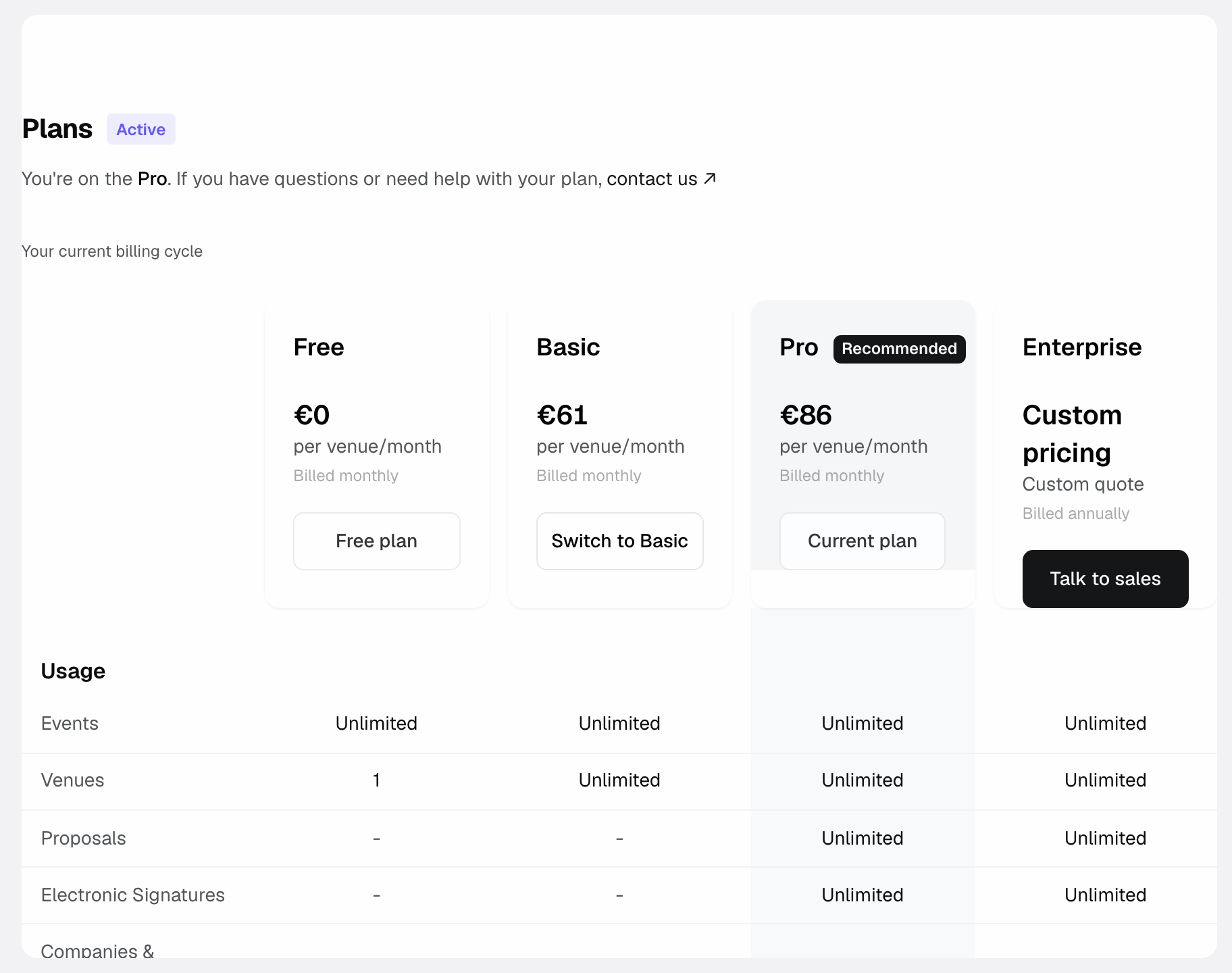
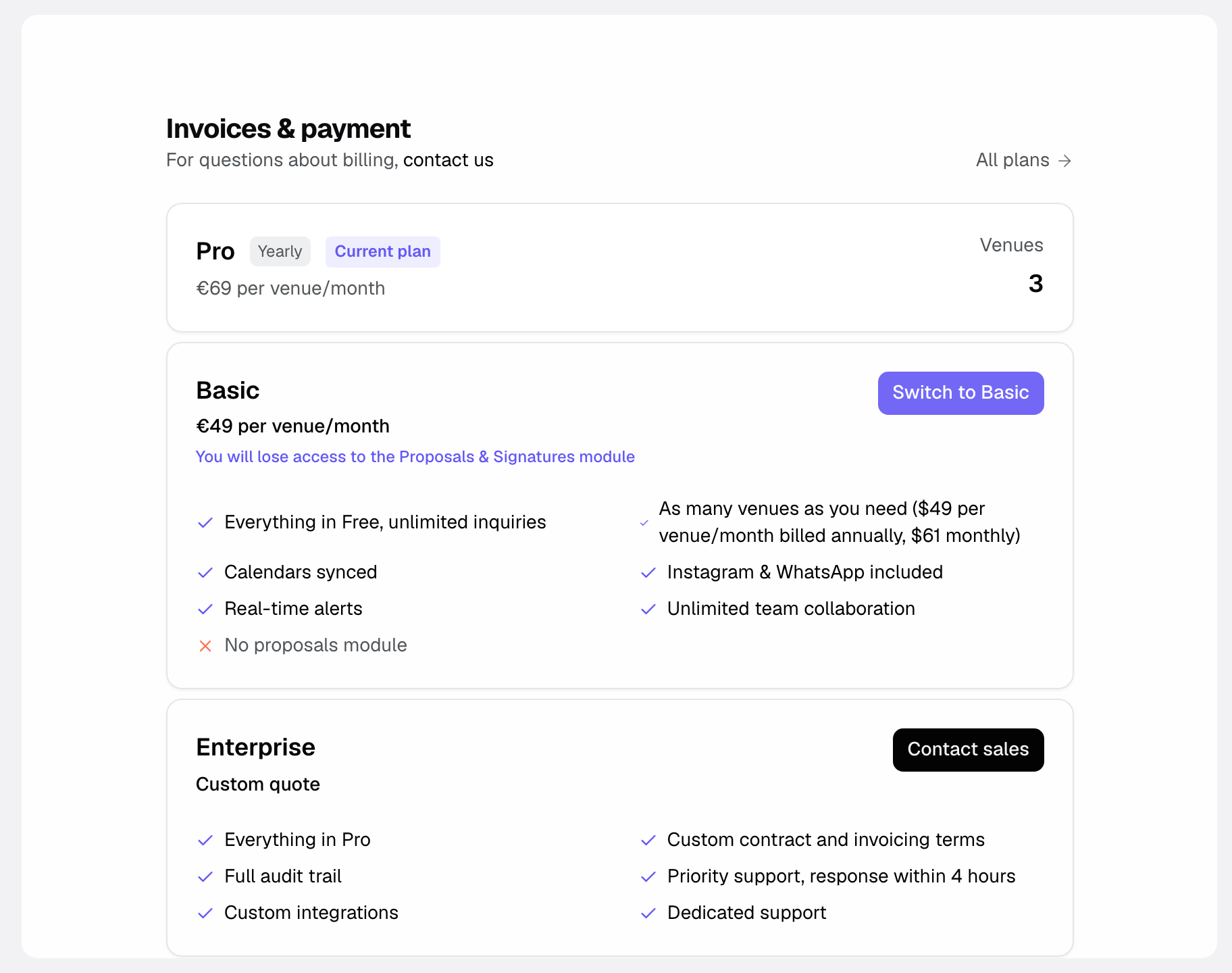
- "Settings" > "Invoices & payment" shows your current plan, the "Your venues and their size" card (each venue, its spaces, its size, its price per month and the total), the "Billing period", your "Billing Details" and your "Recent invoices".
- On Free, the same page shows your usage (inquiries this month, venues, spaces) and, if inquiries are waiting, the "Unlock my inquiries" button.
Move to Pro, change period or cancel
There is only one paid plan: you move to Pro once, then each venue's price follows its spaces, with nothing else to do.
- Open "Settings" > "Plans", pick "Monthly" or "Annual", then click "Move to Pro".
- Pay on the page that opens. Your venues are billed by their size, and inquiries kept on Free unlock.
- Then, in "Invoices & payment", the "Billing period" card lets you "Switch to annual" or "Switch to monthly". "Cancel subscription" opens subscription management in a new tab.
Criteria and items to compare
Here are the items that set plans apart and guide your choice:
- Number of venues: Free is limited to 1 venue; on Pro, each venue is billed by its size. Members are unlimited everywhere.
- Inquiry volume: Free is capped at 10 inquiries per month, Pro is unlimited.
- AI and reports: included in every plan (inbox, extraction, scoring, enrichment, reports).
- Quotes, signatures, invoicing and automations: Pro only.
- Integrations: email, calendar, Stripe and Slack on every plan; the REST API and MCP are Pro only.
- Current plan: Free, Pro trial or Pro, shown at the top of "Invoices & payment".
- Payment details: the payment information tied to the subscription.
- Size: Small, Medium or Large venue, calculated for each venue from its spaces.
How it works
The Pro subscription counts your venues by size. It updates on its own when you create or delete a venue, add or remove a space, or change the whole-venue booking mode.
- Each venue takes a size based on its number of spaces.
- The subscription amount is the sum of your venues' prices.
- A size increase is charged right away, prorated for the time left until the renewal.
- A size decrease applies at the next renewal. Until then, the billed amount does not change.
Edge cases
A few situations to know:
- New venue: it is added to the subscription at the size of its spaces, and the difference is charged prorated. Adding members changes nothing.
- Seasonal peaks: only Free is capped. Beyond 10 inquiries per month, the next ones are kept without being shown, and unlock when you move to Pro. Pro has no cap.
- Space that changes the size: when adding a space, or turning off whole-venue booking, moves a venue to the next size, Joinways shows the new price and asks for confirmation first.
Good to know: a size decrease does not create a credit note. It takes effect at the renewal, and the "Your venues and their size" card shows the date.
Best practices
- Check each venue's size in "Invoices & payment" after adding or removing spaces.
- On Free, move to Pro before high season so that every inquiry shows.
- If a venue is always booked whole, turn on "This venue is always privatised whole": it then counts as one space.
- Prefer annual billing if your number of venues is stable: it costs 20% less than monthly.
- Keep your payment details up to date for smooth changes.
Troubleshooting
Problem: a venue is billed more than expected. Cause: it has more spaces than its size allows, or it is not marked as booked whole. Solution: check its spaces in "Your venues and their size" and, if it is always booked whole, turn on the option in "Availability", "Booking" section.
Problem: I can't find where to move to Pro. Cause: plans and billing are two separate pages. Solution: "Settings" > "Plans" to move to Pro; "Settings" > "Invoices & payment" for your venues, billing period, details and invoices.
Problem: I removed spaces but the amount did not go down. Cause: a size decrease applies at the next renewal. Solution: nothing to do, the "Your venues and their size" card shows the date of the decrease.
Real-world example
A small team starts on Free with one venue of 2 spaces. It goes past 10 inquiries per month and wants to send its quotes from Joinways: it opens "Settings" > "Plans" and clicks "Move to Pro". Its kept inquiries unlock and the quotes module becomes available. With 2 spaces, its venue is a Small venue: $69 / €69 per month billed annually.
Another example
A group runs a restaurant with 3 private rooms and a château with 8 spaces. On Pro, the restaurant is a Small venue and the château a Medium venue: $69 + $119, so $188 per month billed annually ($235 monthly). Same amounts in euros.
FAQ
Is the price per user?
No, per venue. Users are unlimited on Free and on Pro: adding a colleague costs nothing.
How is a venue's size calculated?
By its number of spaces: 1 to 5, Small venue; 6 to 12, Medium venue; 13 to 25, Large venue; beyond that, a custom plan. A venue always booked whole counts as one space.
Where do I manage my subscription?
In "Settings" > "Plans" to move to Pro, and in "Settings" > "Invoices & payment" for your venues and their size, the billing period, your details and invoices.
What happens if I add or remove a space?
If the venue changes size by gaining a space, the next size is charged right away, prorated for the time left. If you remove spaces, the decrease applies at the next renewal.
Which features depend on the plan?
Quotes, e-signatures, invoicing from the quote, automations, the API and MCP are Pro only. The inbox with AI extraction, events, the CRM, reports and the email and calendar integrations are included everywhere. Free is limited to 1 venue, 2 spaces and 10 inquiries per month.
Is the Basic plan still available?
No. Basic is no longer sold: Pro is the only paid plan, with a price that follows the size of each venue.
What should I do for a seasonal peak?
Only Free is capped (10 inquiries per month). If you are on Free, move to Pro before the busy period; on Pro, there is nothing to do.
See also
- Invite and manage your team
- Billing settings
- Frequently asked questions
Bring every event inquiry into one queue.