Calendar and pipeline views
Switch between calendar, pipeline and list to see availability, track opportunities and steer your activity.
Updated
One reality, your events, can be read in several ways depending on what you are trying to do at a given moment. When a client asks you on the phone "are you free on the 14th?", you need a spatial and temporal read of your occupancy. When you prepare your Monday sales review, you need to see where your opportunities stand in the sales cycle. And when you want to review and sort all your files, you need a table. Joinways brings these three needs together in three complementary views that share exactly the same data: the calendar, the pipeline and the list.
These three views are not three separate databases: they are three angles on a single set of events. A change made in one is reflected instantly in the others. Knowing when to switch between them is one of the skills that saves the most time in the day-to-day management of an event venue.
Prerequisites
Before you can make the most of the three views, a few things should be in place in your workspace.
- At least one event exists, otherwise the views are empty. Create one to experiment.
- Your venues and their spaces (rooms) are set up, so the calendar shows one row per venue and per space.
- Your events have a status set (« Hold », « Confirmed », « Lost », « Canceled ») so the kanban sorts them into the right column.
What you'll learn
- Use the calendar, pipeline and list views
- Filter by status, venue and period
- Pick the right view for each need
- Switch quickly between views without losing your context
The calendar view
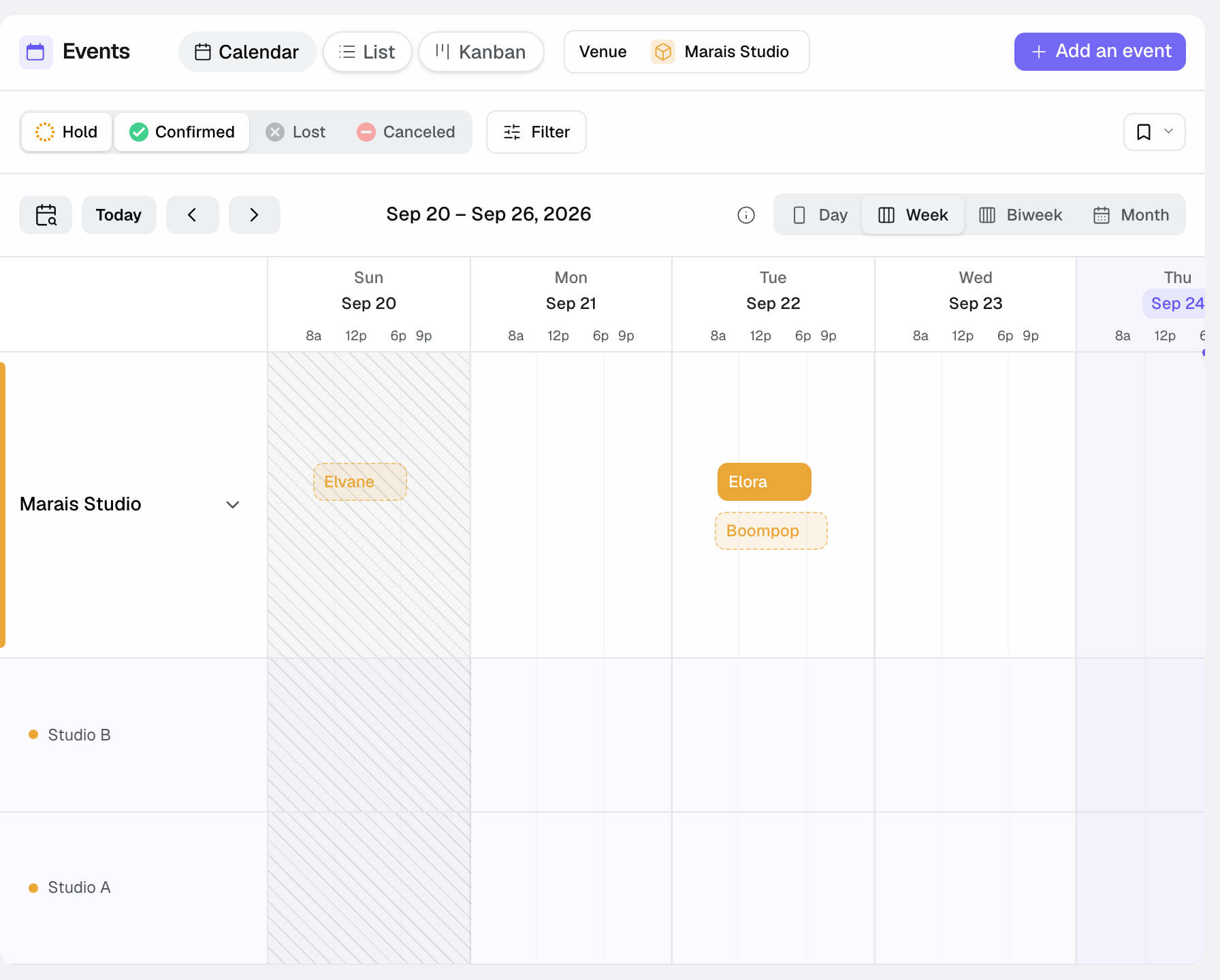
The calendar is the spatial and temporal view of your activity. It shows the occupancy and availability of your venues and their spaces by day, week, two weeks or month. It is the view to open whenever a date question arises: a client asks about availability, you want to schedule a visit, or you are looking for a slot to reschedule a moved event.
Here is what happens, concretely, when you use it.
- You open the calendar: each event appears on its date, positioned on the space it occupies.
- You choose the « Day », « Week », « Biweek » or « Month » scale (keys 1 to 4). Each venue has its own row, which you can expand to see its spaces, each in its own color. A venue set to « This venue is always privatised whole » has no space rows.
- Free slots stand out from busy ones: you read availability at a glance.
- On space rows, an event that takes the entire venue shows shaded on every row (« Whole venue booked » on hover), and a combined space shades the spaces it joins (« Occupied through … »). These shaded blocks cannot be moved: act on the event itself.
- You click an event to see its preview, then open its file. Drag it to move it (a confirmation appears), or pull its edges to change its times. Click and drag across a free range to create an event.
- If the event has space slots, each one shows on its room's row, at its times. Drag it to move it: « Move this slot? » asks for confirmation and flags the other events that overlap the new slot, without blocking.
The pipeline view (kanban)
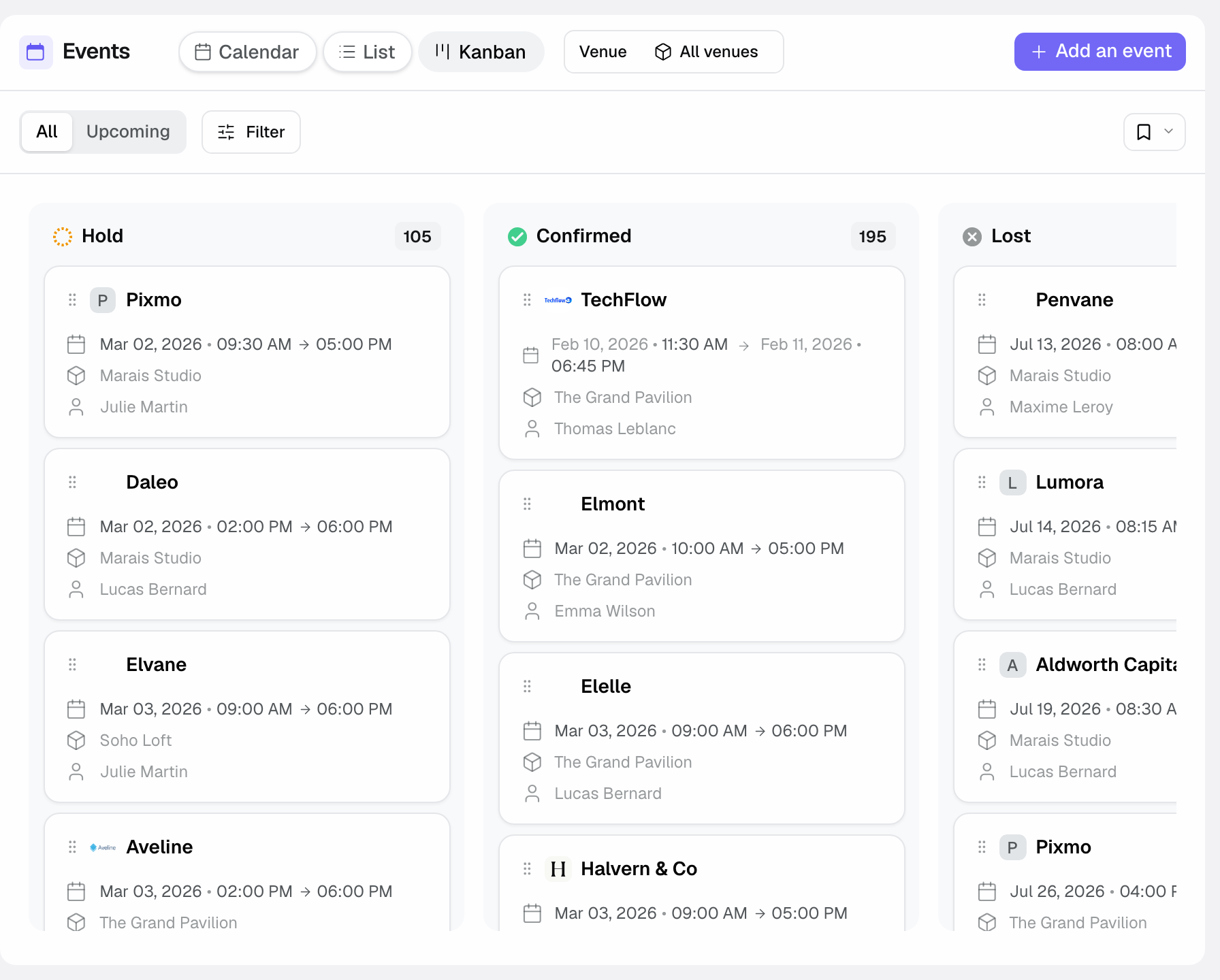
The pipeline is the sales view. It presents your opportunities as columns matching the sales-cycle statuses: Hold, Confirmed, Lost, Canceled. Each event is a card you can move from one column to another. It is the view to open when you think in terms of progress: how many holds pending, which to follow up, which have moved to confirmed.
Here is the typical flow of a pipeline review.
- You open the pipeline: your events are spread into columns by status.
- You scan the Hold column to spot the opportunities to follow up.
- You drag and drop a card from one column to another: the status changes everywhere. Moving to « Lost » or « Canceled » opens a window asking for the reason (optional). The « + » at the top of a column creates an event directly in that status.
- You click a card to open the file and move it forward (quote, follow-up, note).
The list view
The list is the tabular view. It lines up your events in a table sorted by column, with an event count and a choice of displayed columns. It is the view to open for an exhaustive picture and to compare files side by side.
In practice, the list is used like this.
- You open the list: all your events appear as rows.
- You sort by column to order by date, status or client.
- You apply filters to narrow the display to the subset you care about.
- To export events, go to Settings, « Import / Export »: choose « Events » and the CSV, Excel or JSON format.
Filter and sort
Filters narrow the events displayed. They sit in the bar above the view and cover most needs.
- By status to focus on your active pipeline.
- By venue (« All venues ») to show only one or several of your venues. In the calendar, expand a venue to see its spaces row by row.
- By room (« All rooms », next to the venue filter on desktop, or « Room » in « Filter ») to show only the events that use the rooms you pick, in the list, the calendar and the kanban. An event booked on the entire venue counts for each of its rooms, and a combined room for the rooms it joins. Venues that are always privatised whole are not listed.
- By period: « Upcoming » hides past events, and « Start Date Range » (« Filter » button) targets a date range. The same button also filters by company, owner, budget, pax, source, stage or proposal status.
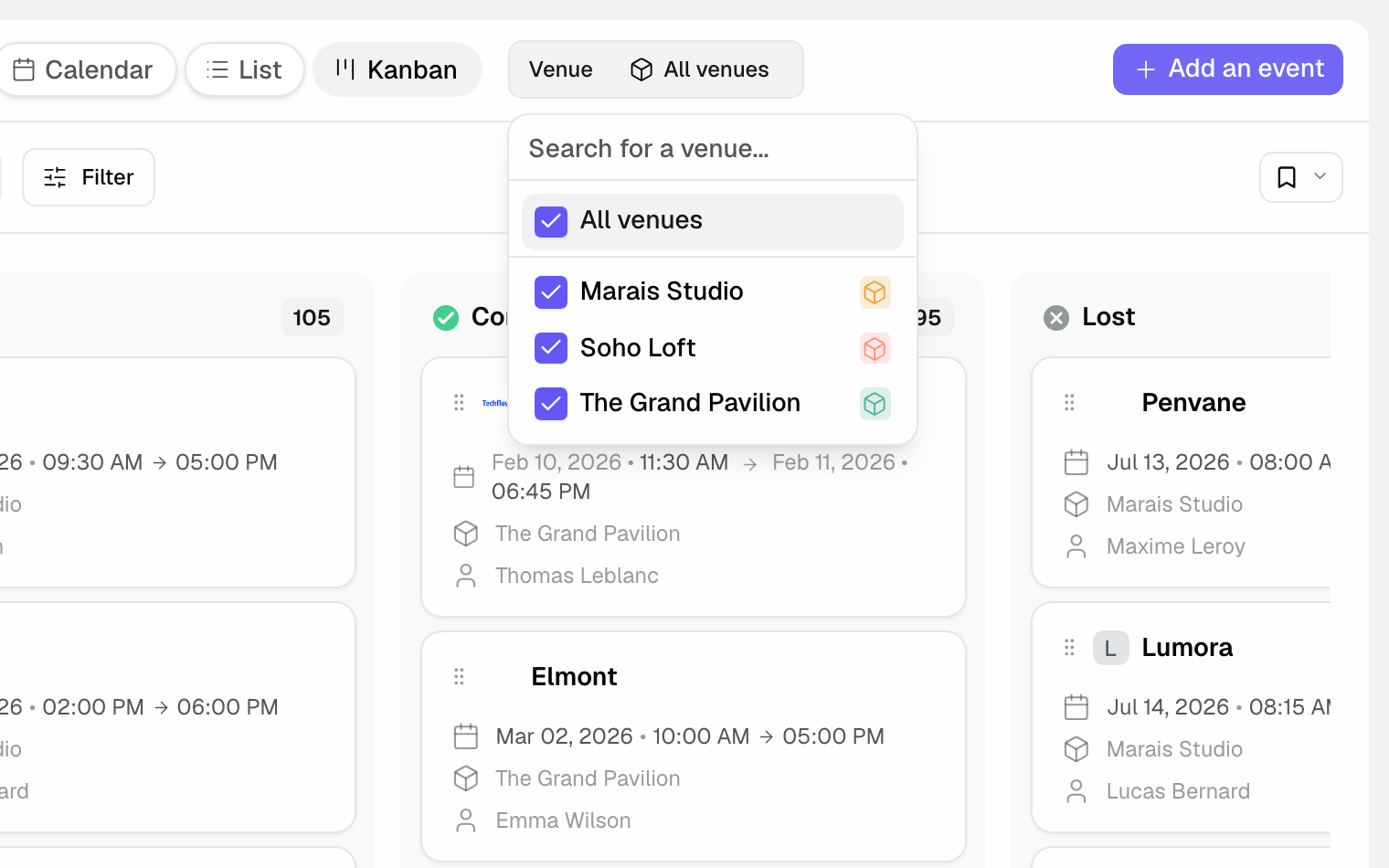
Save a filter combination with « Views »: it also remembers the sort and the chosen view (list, calendar or kanban), so you can recall it in one click.
Reference: the views and their uses
For the record, here is an inventory of the three views, what each one shows and when to favour it.
- Calendar: see occupancy and availability by day, week, two weeks or month. Favour it to answer a date question.
- Pipeline (kanban): track opportunities by status (Hold, Confirmed, Lost, Canceled). Favour it to steer sales progress.
- List: sort and filter all your events in a table. Favour it for exhaustiveness. Exports are done in Settings, « Import / Export ».
The statuses used by the pipeline also structure the filters in the other views: Hold (opportunity in progress), Confirmed (booking locked in), Lost (opportunity that did not close), Canceled (booking canceled).
How it works
The fundamental principle is the uniqueness of the data. The three views read the same set of events; they merely present it differently. Changing a status in the pipeline, moving a date in the calendar or editing a row in the list all act on the same underlying object.
Direct consequence: a change made in one view is reflected immediately in the other two. If you drag an event from the Hold column to Confirmed in the pipeline, it will appear with its new status in the list and stay positioned on its date in the calendar. Your views never fall out of sync.
Filters, for their part, are lenses: they do not delete data, they simply narrow what you see at a given moment.
Edge cases
A few situations deserve special attention.
- By default, the list and the calendar only show « Hold » and « Confirmed ». A « Lost » or « Canceled » event stays visible in its kanban column, and shows up elsewhere if you tick its status in the filters.
- An active filter can make it look like an event has vanished: remember to reset it before concluding there is data loss.
Best practices
- Calendar to quickly answer "are you free on the 14th?".
- Pipeline for your weekly sales reviews.
- List for an exhaustive sorted view, and saved views (« Views ») to bring back your usual filters in one click.
- Get into the habit of returning to an unfiltered view at the end of a task to avoid leaving a filter active.
- Keep statuses up to date in the pipeline: that is what keeps the calendar and the list reliable.
Troubleshooting
Problem: an event I know I created does not appear in the list. Cause: a filter excludes it, for example the default status filter that hides « Lost » and « Canceled ». Solution: reset the status, venue and period filters, then check again.
Problem: a card is in the wrong pipeline column. Cause: the event's status is not the expected one. Solution: drag and drop the card into the right column, which updates the status everywhere.
Problem: the calendar seems to show a room as busy although the deal is lost. Cause: the status was not moved to Lost or Canceled. Solution: update the status to free the slot in the real occupancy.
Problem: an event shows shaded on a room it does not book. Cause: the event has no space chosen and takes the entire venue, or it books a combined space that includes this room. Solution: open the event and pick the spaces it really uses.
Real-world example
At the Monday review, the team opens the pipeline: 12 holds, 4 to follow up this week. Then switches to calendar to schedule two visits with no room conflict.
Once the visits are scheduled, the team returns to the kanban to drag one hold that became firm into the « Confirmed » column. The change shows up at once in the list and the calendar.
Another example
A client calls to find out whether the main hall is free on the 14th. The salesperson opens the calendar in « Week » view, expands the venue to see the main hall's row and sees the day is free. They click and drag across the range to create a hold.
Later, to prepare the quarter's invoicing, the manager opens the list, filters on « Start Date Range » and the « Confirmed » status, and reviews the files. For a file, she exports events from Settings, « Import / Export ».
FAQ
Do the views show the same data? Yes, they are three angles on the same events; a change reflects everywhere.
What is the fastest way to change an event's status? In pipeline view, drag and drop its card from one column to another.
Which view to check availability? The calendar, which shows occupancy and availability by day, week, two weeks or month.
Which view for a sales review? The pipeline, which sorts your opportunities by status.
How do I export my events? In Settings, « Import / Export », export section: choose « Events », a period and the format (CSV, Excel or JSON).
What can I filter on? Status, venue, room, « Upcoming », and through « Filter »: company, owner, event date, creation date, budget, pax, source, stage, proposal status.
Can a filter hide an event? Yes; an active filter narrows the display. Reset it to see everything again.
Does a Canceled event still occupy the room? No. By default, the calendar no longer shows a Canceled or Lost event: the slot appears free.
See also
Bring every event inquiry into one queue.