Manage your email connections
Overview of your connected inboxes: status, sync, reconnection and security best practices.
Updated
Joinways uses two kinds of mailboxes. Your personal mailbox, connected in "My mailbox", syncs your client conversations onto event pages and lets you send from Joinways. The address that receives your inquiries (contact@, info@…) is connected in "Integrations", "Sources" tab, "Your business email" card: that is what feeds your "Inquiries". If a connection breaks, syncing stops.
This article explains how to read a connection's status, reconnect an interrupted mailbox and apply security best practices, so you never lose track of your client conversations.
Prerequisites
Before managing your connections, meet the following conditions.
- Have at least one Gmail or Microsoft (Outlook, Microsoft 365) mailbox. For a Microsoft 365 shared address (contact@, info@…), sign in with your own account that has access to it. Email forwarding remains the option for a Google Group or a distribution list.
- Have access to "Settings" > "My mailbox" (the "Personal" tab of the "Integrations" page), open to every member.
- Be able to sign in to the mailbox's Google or Microsoft account: the connection goes through their authorization screen.
What you'll learn
- See the status of your connections.
- Reconnect an interrupted inbox.
- Understand how the sync works.
- Apply security best practices.
Check your connections
The "My mailbox" page lists each linked mailbox with its status. A regular glance is enough to catch a broken connection.
- Go to "Settings" > "My mailbox": your mailboxes list appears.
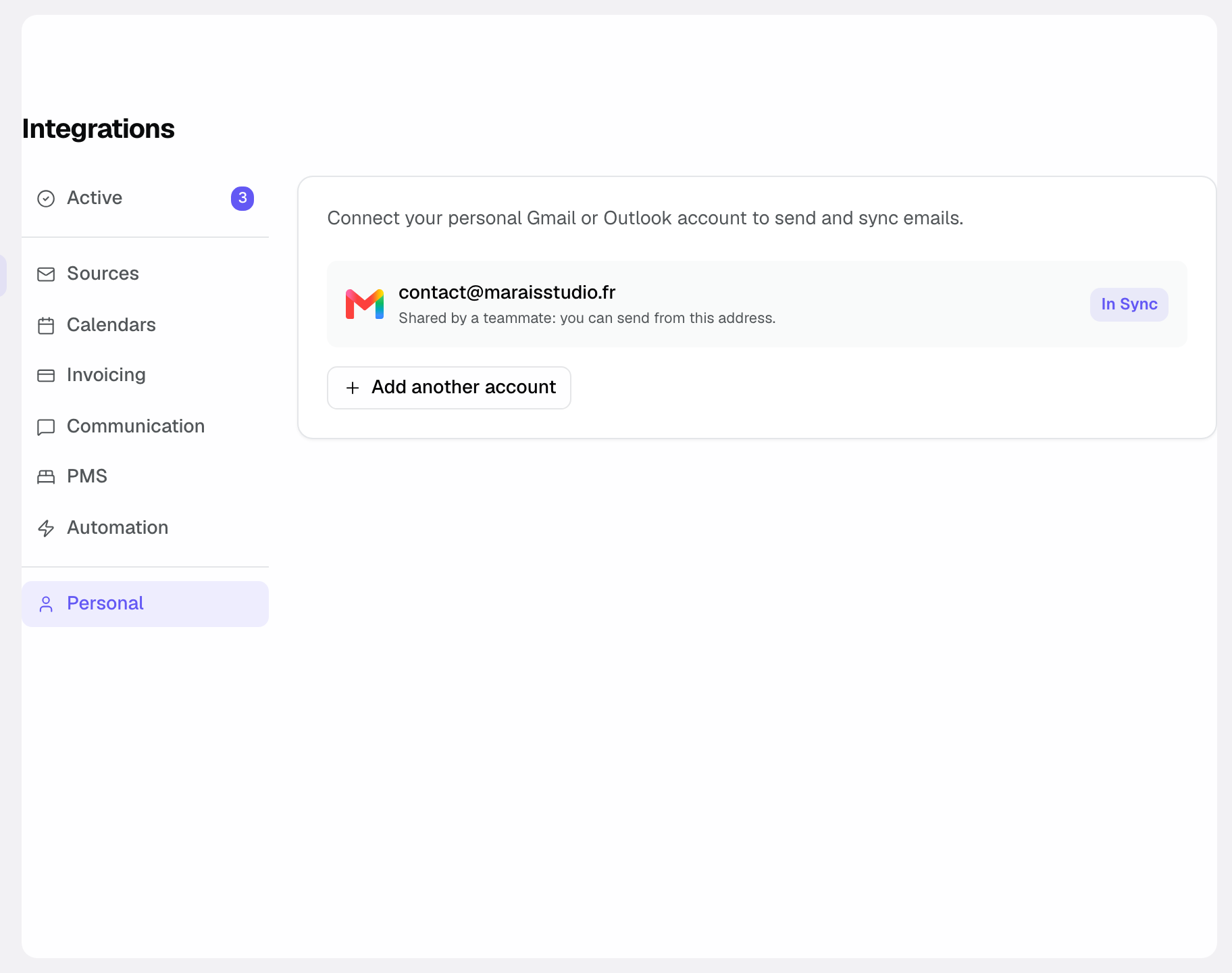
- Review each mailbox status: "In Sync" when everything works, "Disconnected" if the provider revoked access.
- Reconnect those that need it.
- Once reconnected, the inbox resumes syncing and the badge returns to In Sync.
Reconnect an inbox
A "Disconnected" mailbox has lost its access authorization, most often after a password change or a session expiry. Reconnecting restores access without losing any of your history.
- Find the mailbox marked "Disconnected" in the list.
- Click "Reconnect" and follow the Google or Microsoft sign-in. Only the person who connected the mailbox sees this button.
- Confirm the permissions: syncing resumes automatically.
Reference: the connection states
Here are the states an inbox can show, each with a one-line meaning.
- In Sync: the inbox is connected and syncing normally, no action required.
- Disconnected: the provider revoked the authorization, emails are no longer synced and cannot be sent; click "Reconnect".
- When a mailbox becomes "Disconnected", you get a notification in Joinways. The "Sync Now" button forces an immediate sync of a connected mailbox.
Reference: a connection's elements
Each connection shows a few key pieces of information to identify and track it.
- Email address: the identity of the connected inbox.
- Source: the mailbox provider (Google or Microsoft).
- Status: the state of the connection ("In Sync" or "Disconnected").
- Sync: the import of the emails exchanged with your clients, attached to their event pages.
These elements let you tell at a glance which inbox is working and which one needs your attention.
Share a sending mailbox with the team
On a mailbox you connected, turn on "Share with the team". Every workspace member can then pick this address as sender in Joinways: event page, inquiries, proposals, invoices and automations. Emails go out with your authorization and you remain the only one who can disconnect the mailbox or stop sharing.
For your teammates, the mailbox shows "Shared by a teammate: you can send from this address." A mailbox marked "Lead inbox (read-only)" cannot be shared.
How it works
When you connect a mailbox, Joinways gets permission to read and send emails, without storing your password. As long as the authorization stays valid, the badge shows "In Sync". If access is revoked (password change, authorization removed on the Google or Microsoft side, organization policy), the mailbox becomes "Disconnected": click "Reconnect", without losing your history.
Edge cases
- Password change: it can break the connection; simply reconnect the inbox.
- Unused inbox: disconnect it to reduce the access surface and keep a clean list.
- Several mailboxes: connect as many Google and Microsoft accounts as you need with "Add another account".
Best practices
- Check your connections after any password change.
- Disconnect inboxes you no longer use.
- Never share your password: the connection goes through Google or Microsoft and can be revoked at any time on their side.
- Glance at the page regularly to catch a "Disconnected" mailbox before it causes trouble.
Troubleshooting
Problem: inquiries stopped arriving. Cause: they are not brought in by your personal mailbox but by the receiving address connected in "Integrations", "Sources" tab, "Your business email" card. Solution: check that card and reconnect the address if needed (see "Connect your business email").
Problem: the mailbox keeps going back to "Disconnected". Cause: password changes, or a security policy in your organization that regularly revokes authorizations (common with Microsoft 365). Solution: reconnect it, then check with your IT administrator whether a policy limits how long authorizations last.
Real-world example
A manager changes his Gmail password on a Monday morning. In the afternoon, he notices his clients' latest emails no longer show on the event pages. He opens "Settings" > "My mailbox", sees the mailbox marked "Disconnected", clicks "Reconnect" and syncing resumes within seconds.
Another example
A sales rep leaves the team. Before leaving, he disconnects his mailbox in "My mailbox": if he had shared it with the team, his teammates can no longer send from that address. The other members check that their own mailboxes still show "In Sync".
FAQ
Can I connect several inboxes at once?
Yes. Add your Google and Microsoft accounts one by one with "Add another account".
What does the "Disconnected" status mean?
That the provider revoked access: syncing and sending are paused until you click "Reconnect".
Will I lose my old emails by reconnecting?
No, reconnecting restores access without touching your history.
Does Joinways know my password?
No. The connection goes through Google or Microsoft (OAuth): Joinways never sees your password, and you can revoke access at any time on the provider side.
What happens if I disconnect an inbox?
Its new emails are no longer synced and you can no longer send from that address. If it was shared with the team, your teammates lose that sending address too.
How often should I check the page?
After any password change, and periodically. You also get a notification in Joinways as soon as a mailbox becomes "Disconnected".
See also
- Connect Gmail
- Connect Outlook
- Security and access
- Connect your business email
Bring every event inquiry into one queue.