Connect Google Calendar
Show your venues' events in Google Calendar, with the statuses you choose, and keep a single schedule.
Updated
If you already live in Google Calendar, connecting it to Joinways saves you from juggling two schedules. Once linked, your confirmed events are reflected automatically in Google Calendar, giving you a single view of your workload and reducing the risk of double-booking the same date.
This article walks you through linking your Google account step by step, what gets synced once the connection is in place, and how to keep a consistent schedule day to day. It is aimed at venue managers and event teams who want a centralized calendar without re-entering every date by hand.
The connection relies on Google's official authorization (OAuth). It links your Google account; you then choose, venue by venue, which calendars your events appear in.
Prerequisites
- A Google account with access to Google Calendar.
- An owner or admin role in Joinways: the Calendars tab of Integrations is only visible to these roles.
- A browser where you can sign in to Google to complete the OAuth authorization.
What you'll learn
- Connect Google Calendar to your Joinways workspace.
- Understand what is synced and in which direction.
- Keep a consistent schedule view between Joinways and Google Calendar.
- Diagnose cases where events don't appear as expected.
Connect Google Calendar
Connecting takes a few steps from your workspace settings. Follow the order below: at each step, the screen tells you what action is expected.
- Go to Settings then Integrations. This is where all the external connections for your workspace are grouped.
- In the Calendars tab, click the Google Calendar card. Joinways then starts the Google authorization.
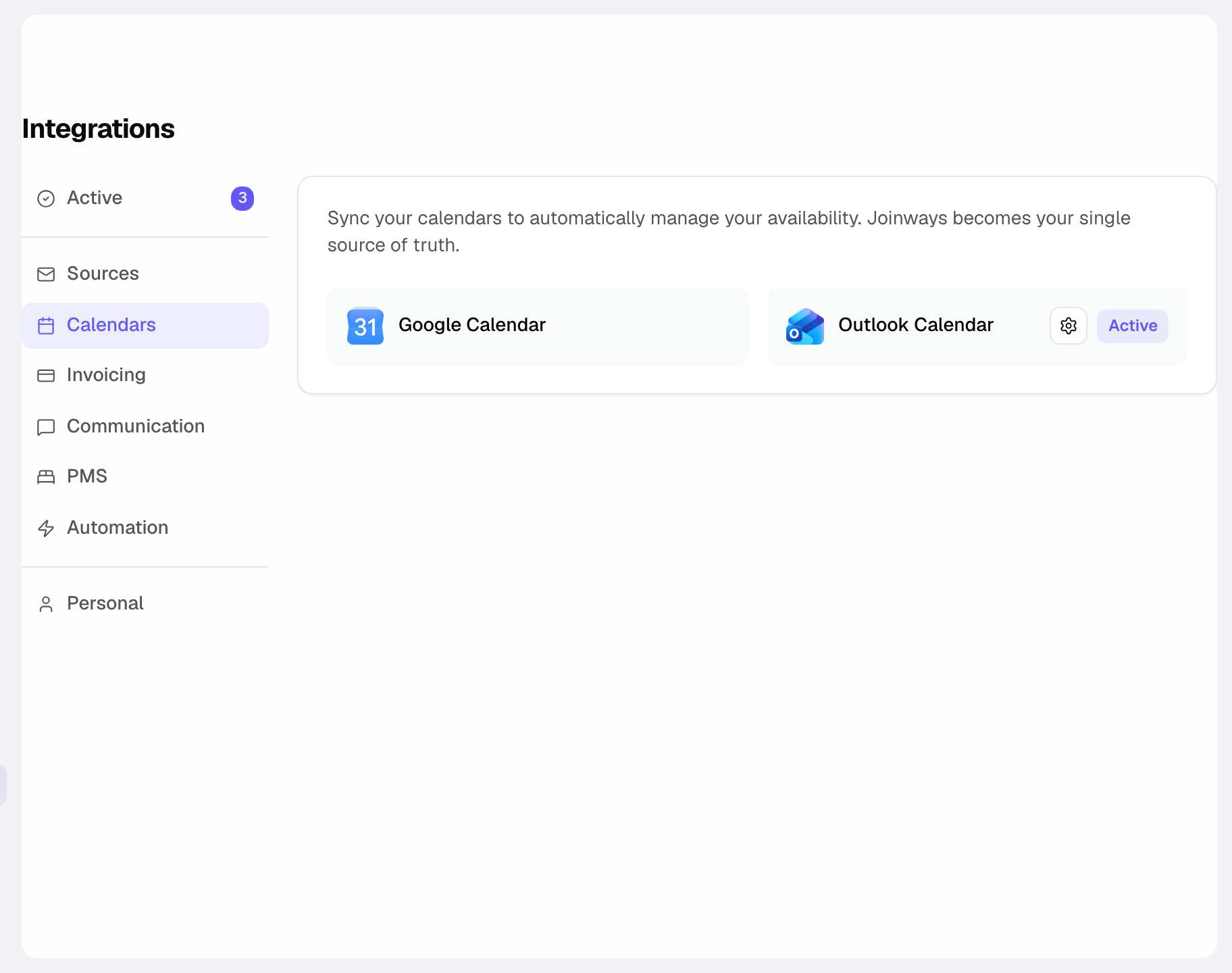
- Authorize via Google (OAuth): Google asks you to sign in to your account and accept the access requested by Joinways. This is the step that establishes the trusted link between the two services.
- Then open Settings then Venues, pick the venue, then Synchronization. In the Google tab, tick one or more calendars: the venue's events will be created in every selected calendar.
- On the same page, set When to synchronize (On event creation, On event update), the Calendar event content (notes, description, BEO link), the Synchronized event statuses (Hold, Confirmed, Lost, Canceled; only Confirmed by default) and, if needed, Closure periods to send the venue's closures as busy slots.
Once these steps are done, the connection is active: the venue's events arrive in the ticked calendars.
What is synced
This section recaps, based on how Joinways works, what flows between the two tools once the connection is in place.
- The venue's events whose status is ticked under Synchronized event statuses appear in the chosen calendars. By default, only confirmed events.
- The direction of the sync is from Joinways to Google Calendar: Joinways feeds the ticked calendars with the events whose status is synchronized.
The goal is to give you a unified schedule view: you check your Joinways commitments directly in the calendar tool you already use every day.
In practice, once the connection is in place, you no longer have to copy your dates over: Joinways carries your events into the calendars ticked for each venue.
How it works
Once the authorization is granted and calendars are ticked for a venue, Joinways pushes that venue's events whose status is synchronized. There is nothing to re-enter: confirming an event in Joinways is enough to surface it on the Google side.
Only the ticked calendars receive the events: your other calendars, personal ones in particular, stay out of it.
This mechanism helps you spot date conflicts at a glance: by seeing your confirmed events next to your other Google appointments, you immediately notice overlaps.
Edge cases
- Several Google calendars: you can tick several for the same venue, and different calendars for each venue. Only calendars you can write to are offered.
- Events on hold: they only appear if the Hold status is ticked in the venue's synchronization. An event that moves to an unticked status is removed from the calendar.
- You prefer Microsoft 365: if you work with Outlook rather than Google, connect the Outlook calendar instead (see the "See also" section).
- Without connecting: the iCal Export tab of the venue's Synchronization page gives a subscription link that Google Calendar, Apple Calendar or Outlook can read, refreshed about every hour.
- Google account with no accessible calendar: if the authorization doesn't go through, check that the account you chose really has access to Google Calendar.
Best practices
- Tick a calendar dedicated to your events for each venue, to keep them clearly separate from your personal appointments.
- Tick in the venue's synchronization the statuses your team needs: Confirmed only for a production calendar, Hold too to visually hold dates under discussion.
- Check your calendars regularly to make sure there is no overlap on important dates.
- If you change working calendar, update the selection in Settings then Venues, venue, Synchronization.
- Keep the one-way direction in mind: Joinways feeds Google Calendar, not the other way around.
Troubleshooting
If something doesn't go as planned, these common situations help you get back to a reliable sync.
Problem: events don't appear in Google Calendar.
Cause: the calendar you're looking at isn't ticked in the venue's synchronization, or the events' status isn't ticked under Synchronized event statuses.
Solution: open the venue's Synchronization page and check the calendars ticked in the Google tab and the synchronized statuses.
Problem: the connection doesn't seem to establish during authorization.
Cause: the Google authorization step (OAuth) wasn't completed, or the requested access wasn't accepted.
Solution: restart the connection from Settings then Integrations, Calendars tab, by clicking the Google Calendar card, and complete the Google authorization until you are back in Joinways.
Problem: events land in the wrong calendar.
Cause: a calendar other than the intended one is ticked in the venue's synchronization.
Solution: open the venue's Synchronization page and fix the calendars ticked in the Google tab.
Real-world example
A reception-hall manager uses Google Calendar to track all her appointments. She opens Settings then Integrations, Calendars tab, clicks the Google Calendar card and authorizes access via Google. She then opens her venue's Synchronization page and ticks her work calendar.
As soon as she confirms a wedding in Joinways, the event appears in her Google calendar. By checking her calendar in the morning, she immediately sees her confirmed events alongside her other appointments, without having to open two tools in parallel.
Another example
An event coordinator manages a personal Google calendar and a shared work calendar. In his venue's synchronization, he ticks only the work calendar.
That way, only his confirmed Joinways events feed the team's shared calendar, while his personal calendar stays out of it. When a request lands on a date that's already taken, the overlap stands out in Google Calendar and he rules it out before committing.
FAQ
Outlook instead of Google?
Connect the Outlook calendar if you run Microsoft 365. The sync logic is the same, applied to the Microsoft ecosystem.
Which events are synced?
The venue's events whose status is ticked under Synchronized event statuses: Confirmed by default, and optionally Hold, Lost or Canceled.
In which direction does the sync run?
It runs from Joinways to Google Calendar: Joinways feeds the calendars ticked for each venue with the events whose status is synchronized.
How do I choose the calendar where events appear?
In Settings then Venues, venue, Synchronization, Google tab: tick one or more calendars.
Do I have to re-enter my events manually?
No. Once the connection is in place, your events surface automatically in the ticked calendars, with no double entry.
What is this sync actually for?
It gives you a unified schedule view and helps you spot date conflicts at a glance, to avoid double bookings.
What should I do if nothing appears?
Open the venue's Synchronization page: check the calendars ticked in the Google tab and the synchronized statuses.
Can I change calendars afterwards?
Yes, at any time, from the venue's Synchronization page, without redoing the Google authorization.
Does the connection replace Joinways' views?
No. Joinways keeps its own calendar and pipeline views; the Google connection is added to reflect your confirmed events where you already track your schedule.
See also
- Connect the Outlook calendar
- Calendar and pipeline views
- Connect Gmail
Bring every event inquiry into one queue.