Budget and revenue of an event
Track an event's client budget, expected revenue and confirmed revenue to manage profitability from the first conversation.
Updated
Knowing an event's value from the start helps you prioritize, negotiate and steer your profitability. Joinways tracks two amounts on the event page: the "Budget" stated by the client, and the "Revenue", the revenue excluding tax actually committed once the event is confirmed. A third amount, expected revenue, can be imported to feed your pipeline value in reports.
For a venue manager, the difference matters: a stated budget is not guaranteed revenue, and an estimated revenue isn't signed yet. By separating these three amounts, you see where each file sits between the first conversation and the signature.
The point isn't just to fill in boxes: it's to keep, file after file, an honest view of what your order book is worth. A well-maintained pipeline tells you at any moment how much revenue is hoped for, how much is signed, and where your best opportunities are concentrated.
Prerequisites
- An event created in Joinways, ideally linked to a contact and an inquiry.
- An accepted or signed quote, and the event in "Confirmed" status, so the "Revenue" is calculated automatically.
- Permission to edit the event to enter the "Budget" and, if needed, correct the "Revenue".
- Access to revenue reports if you want to use these amounts in aggregate.
What you'll learn
- Enter an event's "Budget" and know where the "Revenue" comes from.
- Understand how the "Revenue" is calculated from quotes.
- Compare a quote with the budget the client stated.
- Use these amounts in your reports and commercial decisions.
The amounts tracked
Joinways tracks three amounts for each event, each matching a stage in the commercial relationship. Understanding them avoids mistaking an intention for a commitment.
- "Budget": what the client stated, often taken automatically from the incoming inquiry. You can mark it "Flexible". It's an intention, not a commitment.
- Expected revenue: your estimate of the deal's value. It has no field on the event page: it is filled by import ("Expected revenue" column) or through the API, and feeds the "Open pipeline" card in reports for events still on hold.
- "Revenue": the committed revenue excluding tax, calculated from accepted, signed, invoiced or paid quotes as soon as the event moves to "Confirmed" status.
The logic runs from least certain to most certain: the budget opens the conversation, the expected revenue reflects your estimate, the "Revenue" is authoritative.
Reference: the money fields
Here's each field in detail, its source and how it updates.
- "Budget": entered manually, often taken from the inquiry or the automatic extraction of the incoming email; editable at any time.
- Expected revenue: imported ("Expected revenue" column) or sent through the API. It can't be edited from the event page.
- "Revenue": calculated automatically from quotes, but editable by hand on the event page. An amount entered by hand is no longer recalculated from quotes; clear the field to let quotes take over again. Joinways can also prefill it from a confirmation email or an uploaded file, until a quote replaces it.
- Quotes that count: the event's accepted, signed, invoiced or paid quotes. Their total excluding tax makes up the "Revenue".
- Amendments: a quote replaced by an amendment no longer counts; only the amendment enters the "Revenue".
- Reports: realized revenue adds up the "Revenue" of confirmed events; the "Open pipeline" card adds up the expected revenue of events on hold.
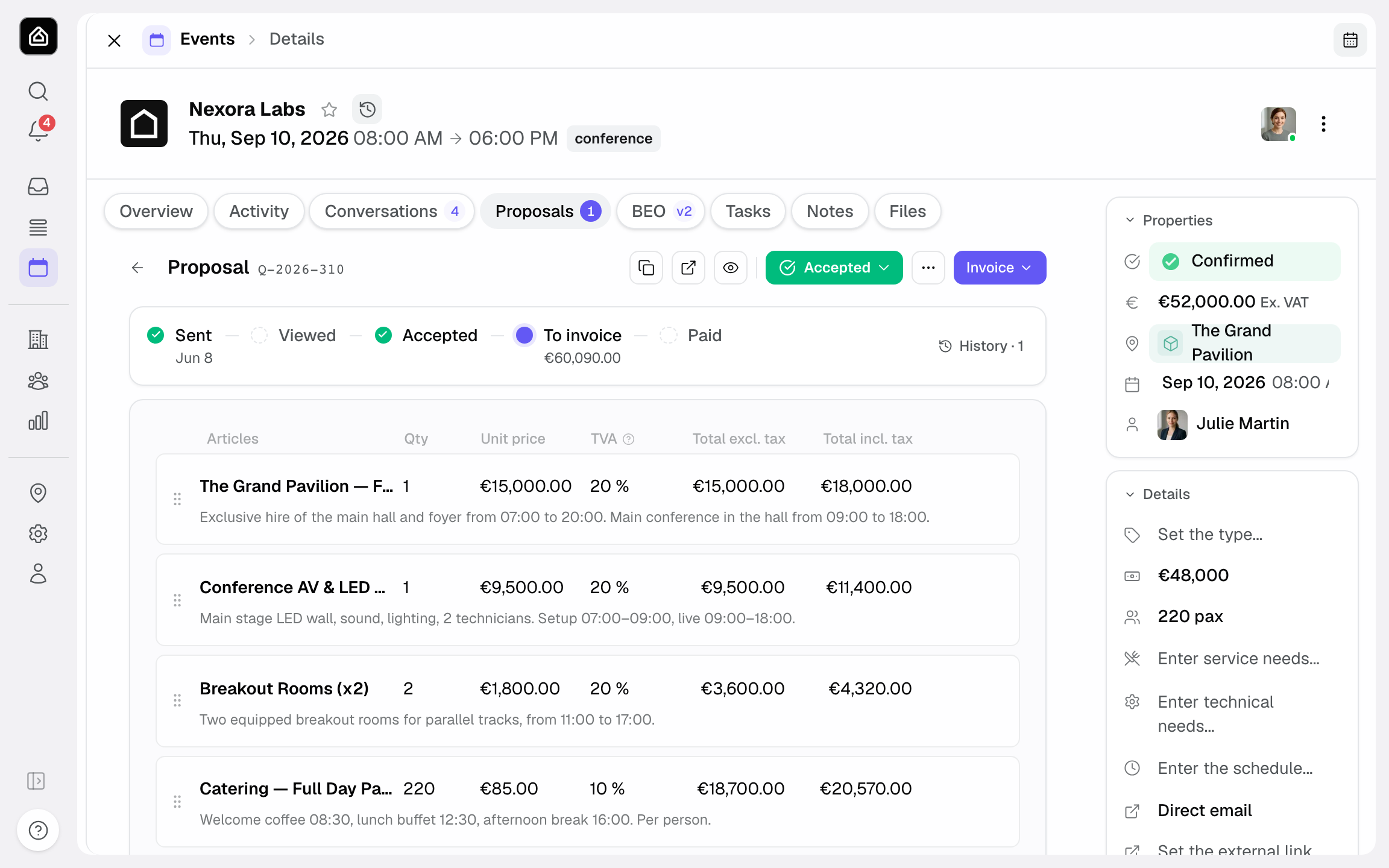
- In the "Quotes" tab, under the totals, the "Client budget" line compares the quote total (incl. tax, or excl. tax under reverse charge) with the stated budget and shows the gap, for example "€800 above the announced budget". The gap turns orange above 5%.
- In the same place, a warning appears if the quote total excl. tax stays below the "Minimum spend" of the booked spaces or the venue, with the amount still missing.
Where to enter them
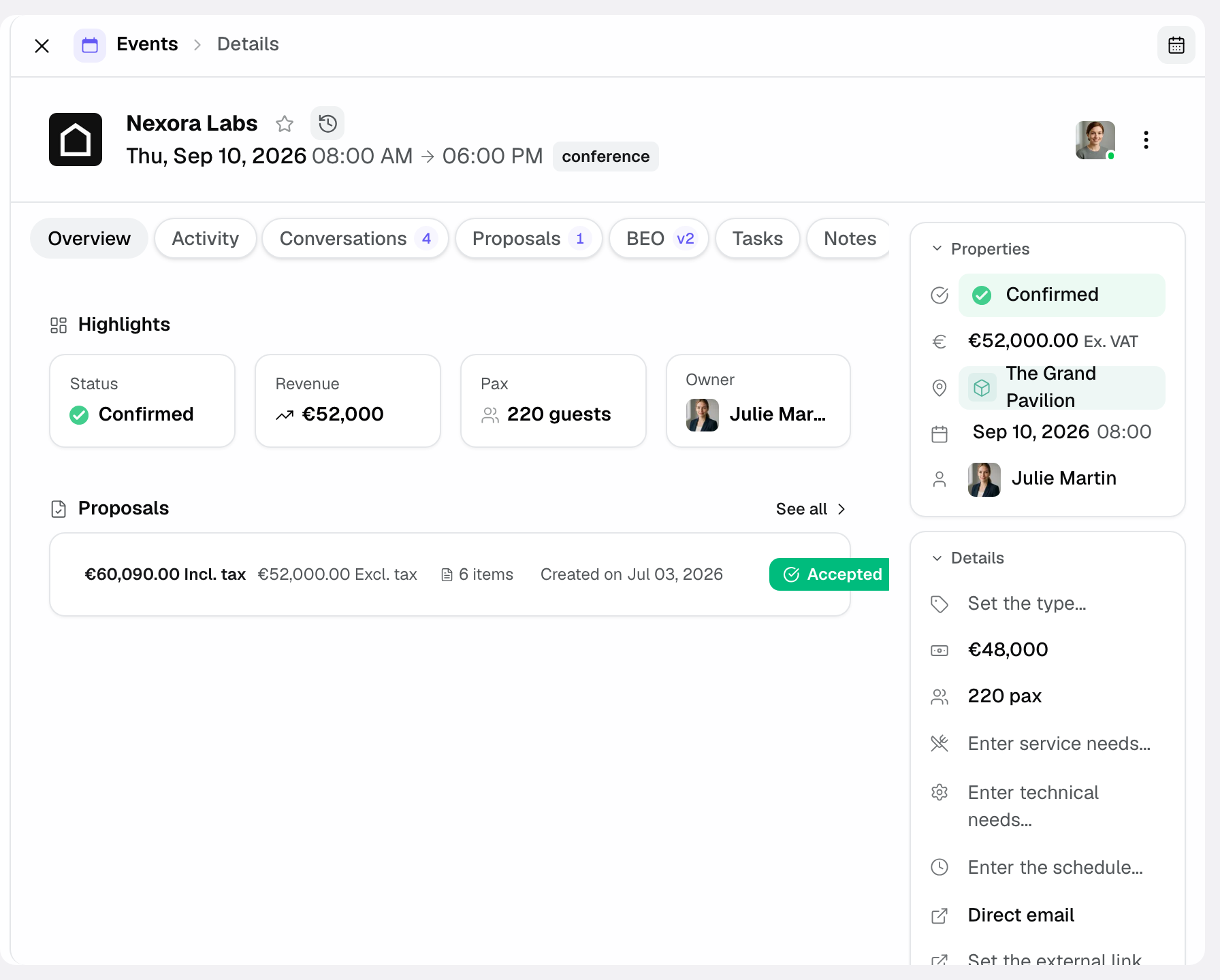
The "Budget" is entered in the details column of the event page. The "Revenue" appears in the same column once the event is in "Confirmed" status (or if it already holds an amount): it fills in on its own from quotes, and stays editable.
- Open the relevant event.
- Enter the discussed budget as the client stated it.
- Get the quote accepted or signed, then move the event to "Confirmed" status.
- Check the "Revenue": it takes the total excluding tax of the quotes that count and follows their changes as long as you haven't entered it by hand.
- Correct the "Revenue" by hand if the real amount differs (discount outside the quote, service billed elsewhere).
How it works
The "Budget" is declarative. The "Revenue" is derived: when the event moves to "Confirmed" status, Joinways adds up the total excluding tax of the quotes that count, then updates it on every quote change (acceptance, amendment, cancellation). If you entered it by hand, it is no longer recalculated. If the event leaves "Confirmed" status, the amount is cleared.
- You enter the "Budget" stated by the client.
- The client signs one or more quotes.
- When the event is in "Confirmed" status, Joinways calculates the "Revenue" from the quotes that count.
- A signed amendment replaces the original quote in the calculation: the "Revenue" reflects the latest version.
- The "Revenue" flows into your revenue reports; the budget doesn't.
Why track all three
Tracking a single amount isn't enough to steer. It's the combined read of all three that reveals a file's health and, across the portfolio, that of your business.
- Prioritize: the budget tells you, from qualification, which files deserve the most attention.
- Forecast: the expected revenue, if imported, feeds the "Open pipeline" card before any signature.
- Measure: the gap between the stated budget and the "Revenue" shows whether your quotes stay within your clients' expectations.
Edge cases
A few situations to know so you read the figures correctly.
- Budget not disclosed: if the client states no budget, leave the field empty rather than inventing a figure. A wrong budget skews your analyses.
- Several quotes on one file: the "Revenue" adds up all the quotes that count (accepted, signed, invoiced or paid), not just the latest one.
- Declined quote: it doesn't enter the "Revenue". Only an accepted, signed, invoiced or paid quote counts.
- Event with no quote that counts: the "Revenue" stays empty, unless you enter it or Joinways detected it in a confirmation email or a file.
- Event leaving "Confirmed" status (back on hold, lost, canceled): the "Revenue" is cleared. It is recalculated if the event is confirmed again.
Good to know: the "Revenue" feeds the realized revenue in your reports, and the expected revenue of events on hold feeds the "Open pipeline" card. The more accurate these amounts, the more reliable your reports.
Best practices
- Capture the budget at qualification to prioritize big files.
- If you import expected revenue, keep it realistic rather than optimistic: it is what feeds the "Open pipeline" card.
- Before sending a quote, look at the "Client budget" line in the "Quotes" tab to see the gap with the stated budget.
- Use this data to fine-tune your offers and sales pitch.
- Check the "Revenue" after each amendment or discount granted outside the quote.
- Keep the "Budget" faithful to what the client said, without rounding it up.
Troubleshooting
Problem: the "Revenue" stays empty even though a quote was sent.
Cause: a sent quote doesn't count until it's accepted or signed, and the calculation only runs if the event is in "Confirmed" status. Solution: check the quote's status and the event's. If the amount was entered by hand, clear the field so quotes take over again.
Problem: the "Revenue" doesn't match the expected amount.
Cause: the amount was entered by hand and no longer follows the quotes, or a quote was replaced by an amendment. Solution: check the quotes that count in the "Quotes" tab, then clear the field so quotes take over again, or correct it.
Problem: the "Budget" looks inconsistent with the rest of the file.
Cause: the field may have been pre-filled by the automatic extraction of an ambiguous email. Solution: correct the "Budget" manually so it reflects what the client actually stated.
Real-world example
An inquiry mentions "budget around €15,000". The amount goes into the event's "Budget". The proposed quote, with two added options, is signed at €17,200 excl. tax; once the event is confirmed, the "Revenue" shows €17,200. In the "Quotes" tab, the "Client budget" line showed the gap before sending.
Another example
For a wedding, the couple share no budget: the "Budget" field stays empty. Two successive quotes (venue then catering) are accepted. On confirmation, the "Revenue" adds both up, i.e. €20,400 excl. tax.
FAQ
Does the "Revenue" include amendments?
Yes. A quote replaced by an amendment drops out of the calculation: only the amendment counts, and the "Revenue" updates.
Where are the budget and expected revenue entered?
The "Budget" is entered on the event page; it can be prefilled from the incoming inquiry and stays editable. Expected revenue is filled by import or through the API.
Can the "Revenue" be edited by hand?
Yes, on the event page. An amount entered by hand is no longer overwritten by quotes. Clear the field to go back to the calculation from quotes.
What is expected revenue for?
To estimate your pipeline: it feeds the "Open pipeline" card in reports for events on hold. Without an import, that card only gives the number of holds.
What happens if several quotes are signed on the same event?
Once the event is confirmed, the "Revenue" adds up all the file's quotes that count (accepted, signed, invoiced or paid).
Do these amounts appear in reports?
Yes. The "Revenue" feeds realized revenue, and the expected revenue of events on hold feeds the "Open pipeline" card. The budget doesn't enter reports.
Should I enter a budget even if it's approximate?
Enter it if it's meaningful, otherwise leave it empty. A made-up figure degrades your analyses; missing data beats wrong data.
See also
Bring every event inquiry into one queue.