Prepare quotes for your event venue, without manual entry
At an event venue, a single quote typically takes 45 minutes of manual work: space calculations, menu adjustments, hourly rates, add-ons. Multiply that by 15 requests per week and you lose over 11 hours. A structured preparation cuts this down to under 10 minutes while eliminating calculation errors that cost you contracts.
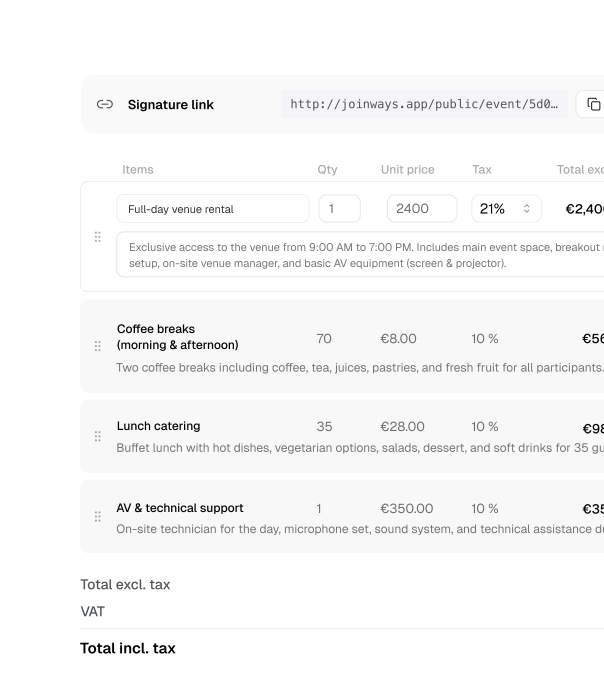
How to streamline the venue quote process
To streamline your venue quote process, structure a reusable product catalogue, apply pricing rules without re-entry, and use templates with electronic signature so quotes go out in under 10 minutes — instead of 45 — without calculation errors.
- Build a structured product catalogue (spaces, packages, options, calculation rules)
- Configure pricing grids by season, day type and service tier
- Use branded quote templates with reusable blocks for consistent formatting
- Send with open tracking and electronic signature to shorten the close cycle
- Measure quote error rate, time-to-quote and signature rate to keep improving
Expert: product catalogue and structured pricing
Preparing quotes without manual entry requires a structured product catalogue, well-managed seasonal pricing grids and measured error reduction.
Build a product catalogue suited to applied pricing: packages, options, calculation rules and special conditions.
Manage seasonal pricing grids: high season, weekends, special events with clear, traceable rules.
Reduce quote error rate: regular audits, formula validation and correction tracking to move towards zero errors.
Key indicators
- Quote error rate: share of quotes corrected or resent due to error.
- Average creation time for prepared vs manual quotes.
- Catalogue coverage: share of requests covered by applied rules.
What makes the difference
A successful no-manual-entry flow rests on a comprehensive product catalogue, up-to-date pricing grids and disciplined error measurement. An incomplete catalogue or outdated prices cancel out the gains.
Creating quotes takes too long
Each quote requires complex manual calculations: space rented, guest count, catering options, equipment, weekend surcharges. Formatting varies from one salesperson to another, which hurts your brand image. Pricing errors, common under pressure, cost you contracts or eat into your margins.
- 30 minutes to 1 hour per quote with manual creation
- Risk of calculation errors and inconsistencies
- Variable formatting from one salesperson to another
- No tracking of request engagement with the quote
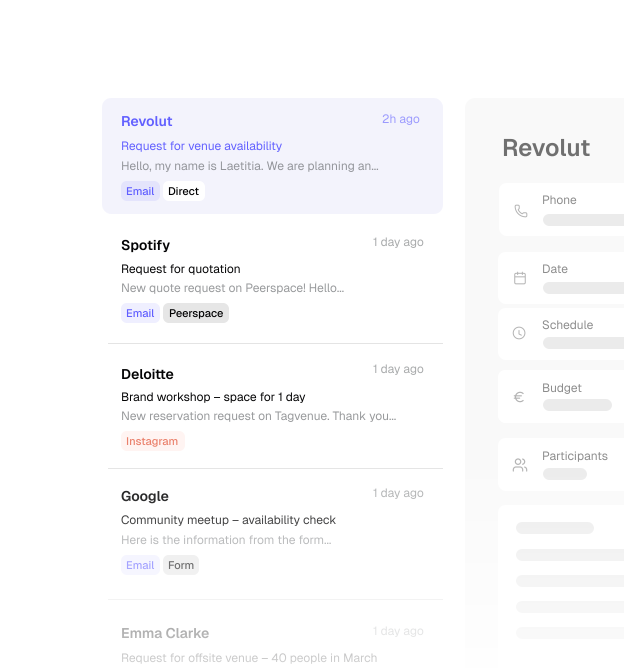
How to implement a no-manual-entry flow
Implementing a no-manual-entry quote flow happens in 3 steps: structure your product catalogue, configure your pricing rules and define your sending flows.
- Step 1: Structure your catalogue (spaces, packages, options) with the associated calculation rules
- Step 2: Configure your pricing grids by season, day and type of service
- Step 3: Create your quote templates with consistent formatting and reusable blocks
- Step 4: Enable open tracking and electronic signature to drive bookings
Benefits of a no-manual-entry quote flow
Time saved and errors avoided.
Creation time
Average time drops from 45 minutes to under 10 minutes per quote thanks to preconfigured templates and structured calculations. Sales teams focus on customer relationships instead of spreadsheets.
Signature rate
Quotes sent quickly and error-free reassure requests. A response in under 24 hours and a professional presentation noticeably increase booking rates.
Pricing consistency
Pricing rules applied without re-entry eliminate forgotten surcharges, calculation errors and inconsistencies between salespeople. Every quote follows your grid, without exception.
Where to start based on your needs
A no-manual-entry flow adapts to all your needs.
Quotes from packages
You define your packages once (room only, catering included, full package). For each request, you select the right package, tick the options the client wants, and the quote generates with the correct amounts. Ideal for weddings and recurring seminars.
Custom quotes
For atypical events, you assemble à la carte elements: space rental, equipment, catering services, audiovisual options. Each line applies your pricing rules (per-person rates, packages, surcharges). The total calculates without error, even for the most complex requests.
Multi-day quotes
2- or 3-day seminars, festivals or film shoots need a day-by-day breakdown. The flow handles daily rates, overnight accommodation, meals per day and options specific to each date. One professional document replaces scattered spreadsheets.
From 45 minutes to 8 minutes per quote
Before
An estate in Sonoma County with 8 event spaces received around 80 requests per month. The 2-person team spent 45 minutes per quote with Word and Excel: copy-pasting grids, recalculating options, checking weekend surcharges. Catering package pricing errors regularly caused friction with clients.
Change
Migration to Joinways with 12 quote templates configured (rooms, catering packages, equipment), seasonal pricing grids and prepared calculation rules. Team training on creating quotes from qualified requests.
After
8 minutes per quote on average. Nearly 10 hours saved per week for the team. Zero calculation errors since implementation. Quotes sent within 24 hours increased the signature rate from 28% to 42% over the first 6 months.
Reservations Manager
Event estate, Sonoma County (8 spaces)
Frequently asked questions
My pricing is complex—can a no-manual-entry flow handle it?
Are prepared quotes customizable?
How do I handle modification requests after sending?
Can the client sign electronically?
How do I know if the client has viewed the quote?
How do I streamline the venue quote process?
Related solutions
More solution pages
Related resources
How to Respond to Event Inquiries in Under 2 Hours
4-step method to respond to event venue inquiries in under 2 hours: templates, instant availability, quick quotes.
5 reasons your event quotes do not convert (and how to fix it)
Sending quotes but rarely getting signatures back? Discover the five mistakes that hurt your conversion rate and the practical fixes to turn more requests into confirmed events.
What does an event lead really cost? The calculation nobody makes
Web forms, trade shows, word of mouth, listing platforms… Every channel has a different acquisition cost. Knowing which one actually delivers changes your sales strategy.
Blog
Articles and tips
Start preparing your quotes without manual entry
Save time and send professional quotes in a few clicks.